
Enabling Panelist Poll Voting
-
Navigate to the Polls window.
-
Open any poll by clicking into it.
-
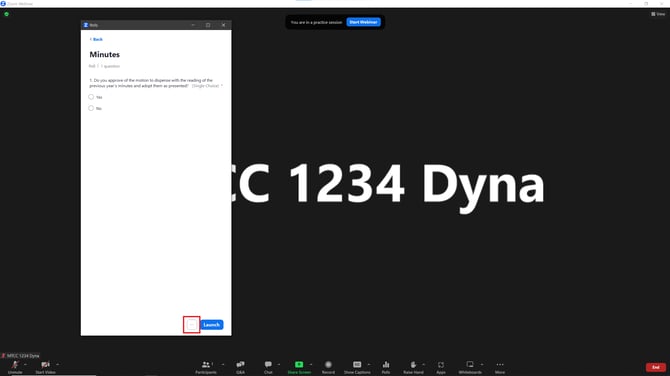
Click the ellipses (...) at the bottom-right corner of the window.
-
Click Allow Panelists to vote.
Note: Enabling this option allows you to preserve and record specific confirmations or verifications from the Chair or Property Manager directly within the live voting data.