
Overview Real Time Voting allows meeting participants to submit votes on matters electronically during the meeting. The specific voting method depends on the participant's role (Panelist vs. Owner) and how they accessed the meeting.
Note: The moderator reviews these specific voting methods for Panelists and attendees during the Pre-Meeting and Housekeeping presentation at the start of the meeting.
The Panelist Experience
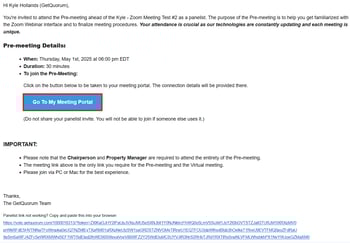
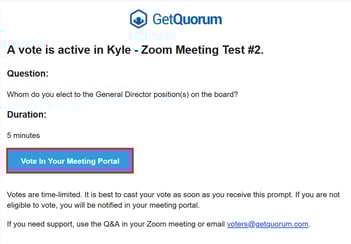
Panelists do not have access to the Integrated Portal. To vote, they must use a secure link sent to their email address.
-
The Panelist navigates to their email inbox.
-
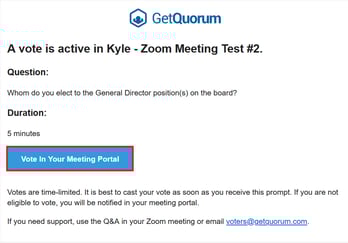
They locate either the original meeting invitation email OR the specific voting email received when the voting period began.
-
Clicking the link inside allows them to submit their vote.
The Owner Experience (Computer)
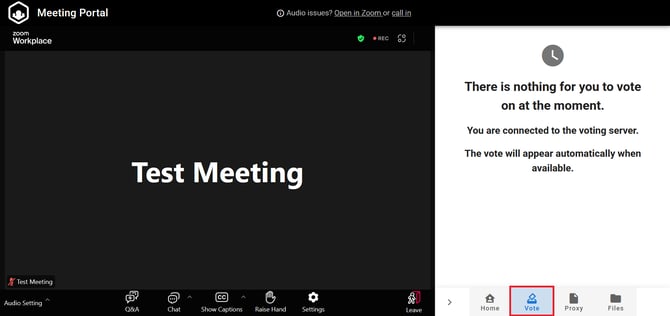
Owners joining the meeting via a laptop or desktop computer generally use the Integrated Portal. This method maximizes the user experience by combining the voting tool and the Zoom webinar into a single window.
-
The Owner remains in the main meeting window.
-
When voting opens, the voting interface appears automatically within the Integrated Portal.
-
The Owner selects and submits their vote without navigating away from the meeting.
The Owner Experience (Mobile)
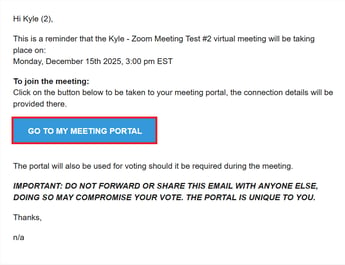
Owners joining on a mobile device, or those who joined via the standard Zoom client due to technical issues, vote via email (similar to the Panelist workflow).
-
The Owner navigates to their email inbox.
-
They access the email used to join the meeting OR the voting email received when the matter began.
-
They click the link inside to submit their vote.
Common Questions
How long does live voting last? Typically, live voting runs for 3-5 minutes per matter. If a specific duration is required, this should be communicated to the moderator during the Pre-Meeting.
What if an attendee cannot submit their vote electronically? In the event of technical issues, and upon confirmation from the Chair, the support team can accept a manual vote at voters@getquorum.com. This vote is then manually added and tabulated with the electronic results.
How do owners vote for multiple units? If an owner's units are consolidated, they only need to vote once. If units are not consolidated, the owner receives a separate email for each unit they represent and must submit a vote through the links inside each email.
How is Real-Time Voting different from Zoom Polls?
Real-Time Voting ensures that only eligible owners participate (excluding non-voting owners or those in arrears) and accounts for advance submissions, such as proxies. It also allows the system to account for consolidated units (multi-unit owners) and deferred votes, where applicable. For these reasons, it is the recommended method for substantive matters.
Can a vote be changed if a mistake is made? Yes. Upon confirmation from the Chair, the team can reset a specific vote to allow the attendee to re-submit.